- Home
- Employment and Work Visas
Employment and Work Visas
If you’re coming to the UAE for a job, you’ll need an employment visa. Some people call it a work visa. Same thing.
What Is an Employment Visa?
An employment visa is a residence permit issued to foreign nationals sponsored by a UAE-based employer. It’s valid for 2 years typically and renewable as long as you stay with the same employer.
Two things you get with this visa:
- A work permit from MOHRE (Ministry of Human Resources) that allows you to work
- A residence visa from immigration (ICP or GDRFA) that allows you to live here
Your visa is tied to your employer. They are your sponsor. If you change jobs, your new employer must transfer or issue a new visa .
Who Needs an Employment Visa?
Anyone who isn’t a UAE or GCC citizen and wants to work for a company here.
This includes:
- Private sector employees (mainland companies)
- Free zone employees
- Government and semi-government sector workers
- Domestic workers
The only exceptions are people on Green Visas (self-sponsored freelancers) or Golden Visas (long-term talent), who don’t need employer sponsorship.
The Two-Step Process
This confuses people. Here’s how it actually works:
Step | What happens | Who handles it |
|---|---|---|
Step 1: Work permit | Your contract gets approved | MOHRE (Ministry of Labour) |
Step 2: Residence visa | Your visa is issued | ICP or GDRFA |
First, your employer gets your labor contract approved by MOHRE. Once that’s done, they apply for your actual residence visa through immigration. Dubai uses GDRFA. Everywhere else uses ICP.
Step-by-Step Application Process
Here’s what happens from the moment you accept a job offer to the day you get your visa.
- Step 1: Job Offer and Work Permit Application
Your employer starts everything. They must:
- Have a valid trade license and no violations with MOHRE.
- Apply for a visa quota based on their office space (for free zones, it’s typically one visa per 9 square meters).
- Submit a job offer and employment contract through the MOHRE system.
The contract must be signed by both parties. Once submitted, MOHRE reviews it. This takes 1 to 5 working days.
- Step 2: Entry Permit Issuance
- Once the work permit is approved, you receive an entry permit. This is sometimes called a “pink visa.”
- If you’re outside the UAE, the entry permit lets you enter the country. It’s valid for 60 days.
- If you’re already in the UAE, you’ll get a “change of status” permit instead. Same 60-day validity.
- During these 60 days, you must complete all remaining steps: medical, biometrics, and visa stamping.
- Step 3: Medical Fitness Test
All applicants must pass a medical test at a government-approved center .
Blood test (HIV, hepatitis, etc.)
Chest X-ray (for tuberculosis)
Results usually come within 48 hours. VIP services can be faster—4-6 hours .
If you test positive for certain communicable diseases, your visa will be rejected.
- Step 4: Emirates ID Registration
- Next, you visit an EIDA center (ICP) to provide biometrics, fingerprints, and a photo.
- This registers you for your Emirates ID, which is your official ID card in the UAE. It’s linked to your visa and lets you open bank accounts, sign contracts, and more.
- Emirates ID is usually issued within 1-2 weeks.
- Step 5: Residence Visa Stamping
Once your medical results are clear and your biometrics are done, your employer applies for your residence visa.
The visa is issued electronically within 48 hours. Your passport gets stamped (or digitally linked) with the residence visa.
- Step 6: Work Permit Activation
For private sector employees, MOHRE activates your work permit after the residence visa is issued. This officially authorizes you to start working.
Documents You'll Need
| Document | Requirements |
| Passport copy | Valid for at least 6 months, clear scan of the photo page |
| Passport photo | Recently, a white background |
| Educational certificates | Attested by relevant authorities (if required for your job) |
| Professional license | For regulated professions (doctors, nurses, teachers, engineers, etc.) |
| National ID | For some nationalities (Pakistan, Afghanistan, Iraq, Iran) |
- Valid trade license copy
- Establishment card
- Signed job offer and labor contract (MOHRE-approved)
How Much Does It Cost?
The employer is legally required to cover all visa costs. If anyone asks you to pay before you start, that’s illegal.
Estimated costs (AED):
Item | Cost Range |
Work permit / Entry permit | 1,500 – 3,500 |
Medical fitness test | 300 – 750 |
Emirates ID | 370 – 570 |
Visa stamping | 500 – 1,000 |
Total approximate | 2,000 – 6,500 |
Fees vary based on company category (mainland vs free zone) and skill level.
How Long Does It Take?
Stage | Time |
Work permit approval | 1-5 working days |
Medical results | 24-48 hours |
Residence visa issuance | Within 48 hours after medical |
Emirates ID delivery | 1-2 weeks |
Total process | 2-4 weeks typically |
Free zones are often faster (5-10 working days). Mainland can take 7-15 working days due to coordination between the MOHRE and GDRFA. If your application shows ‘Pending’ for more than a week, our guide to processing and pending status explains what might be causing the delay.”
How to Check Your Employment Visa Status
What you’ll need:
- Your application number or passport details
- Step 1: Check work permit status (MOHRE)
- Go to the MOHRE website
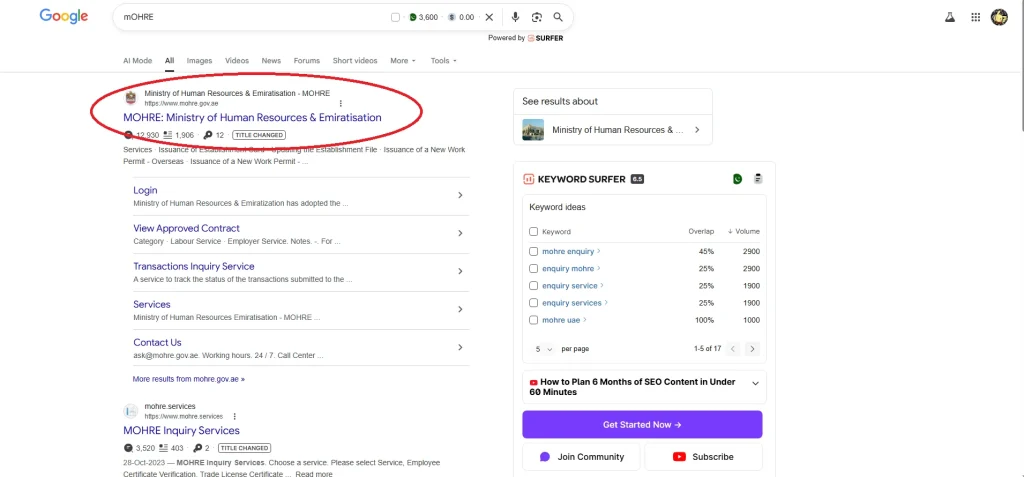
- Select the most used services option
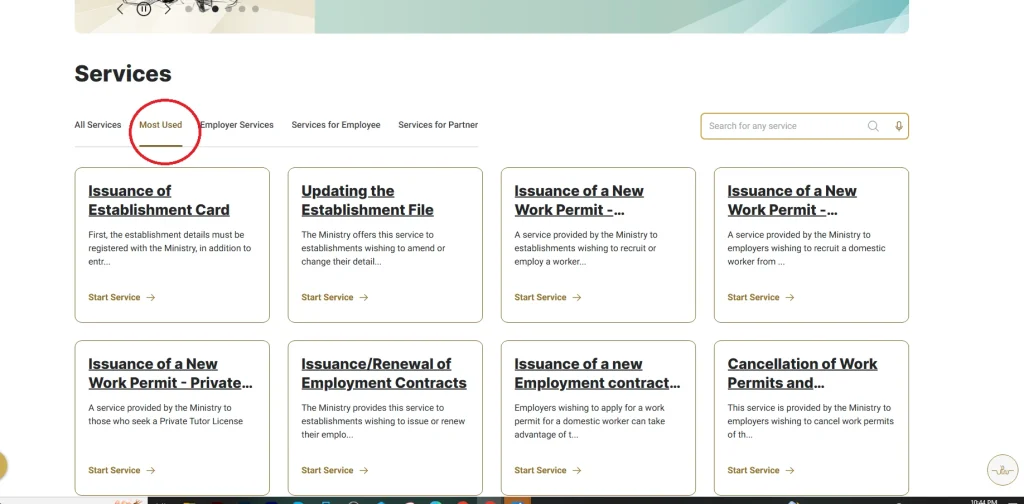
- Choose the Issuance of a New Work Permit – Overseas option
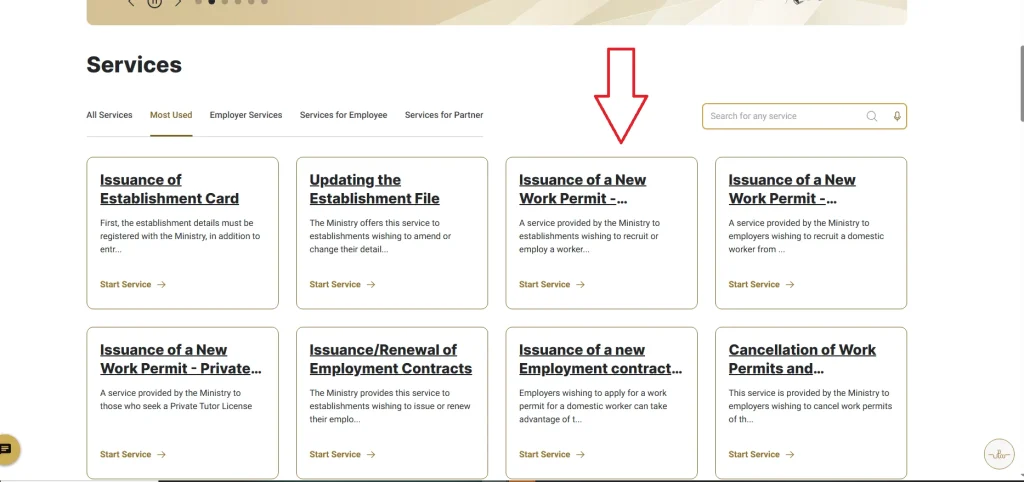
- On this page, you can see the option for application tracking.
- Enter your application number after choosing the appropriate option.
Status | What it means |
Approved | The labor part is done. Moving to immigration. |
Pending | Still being reviewed. |
Rejected | Something’s wrong. Your employer needs to fix it. |
- Step 2: Check visa status (Immigration)
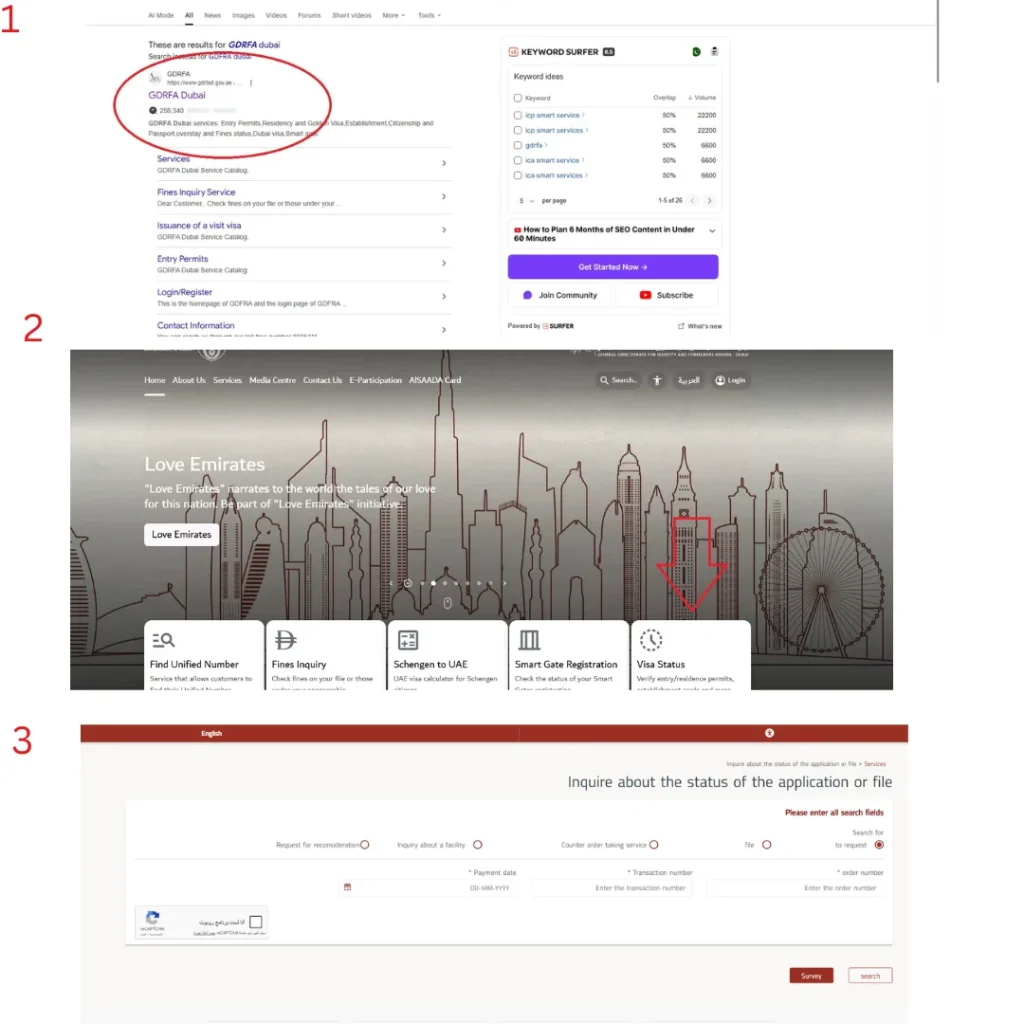
- For Dubai visas: GDRFA website. Use the Visa status option homepage and enter the transaction and order number for status.
- For other emirates: ICP Smart Services, use the “File Validity” tool
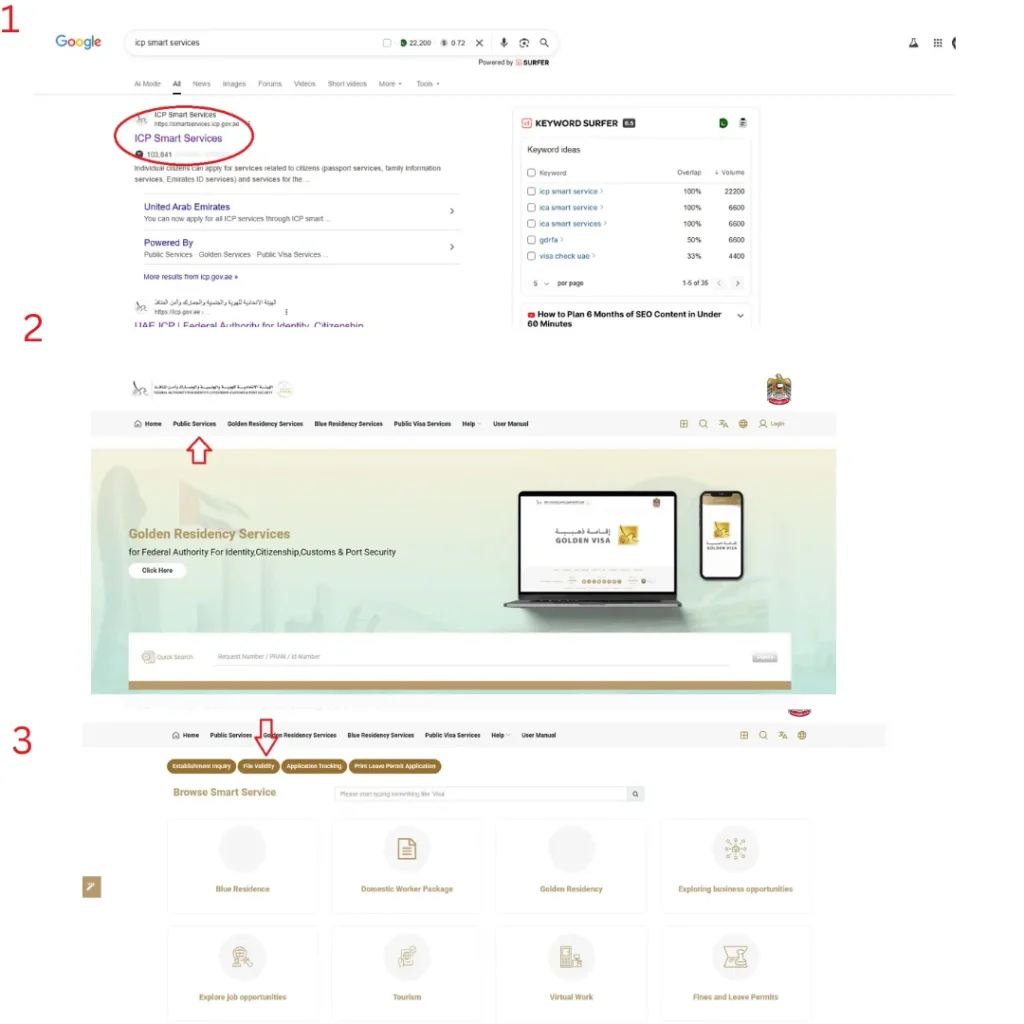
Enter your passport number and expiry date. The system shows your current status.
For detailed step-by-step instructions on how to track your visa status using your passport number, Emirates ID, UID, or file number, visit our homepage.